_FB_2018-Icons-finalized-cleaned-up_new_FB_2018-Icons-finalized-cleaned-up_newGroup 9
Back
Scroll to top

Using ACH Positive Pay

Automatically detect fraud with a tool that identifies unauthorized transactions before final payment, so you can feel secure about money coming out of your accounts.

Step 1:
Log in to online banking.

When you enrolled in First Bank digital banking, you created a Login ID and Password. Enter that information in the corresponding screens and then click the “Log In” button. Next, you will be asked to enter your password, then click “Continue.”
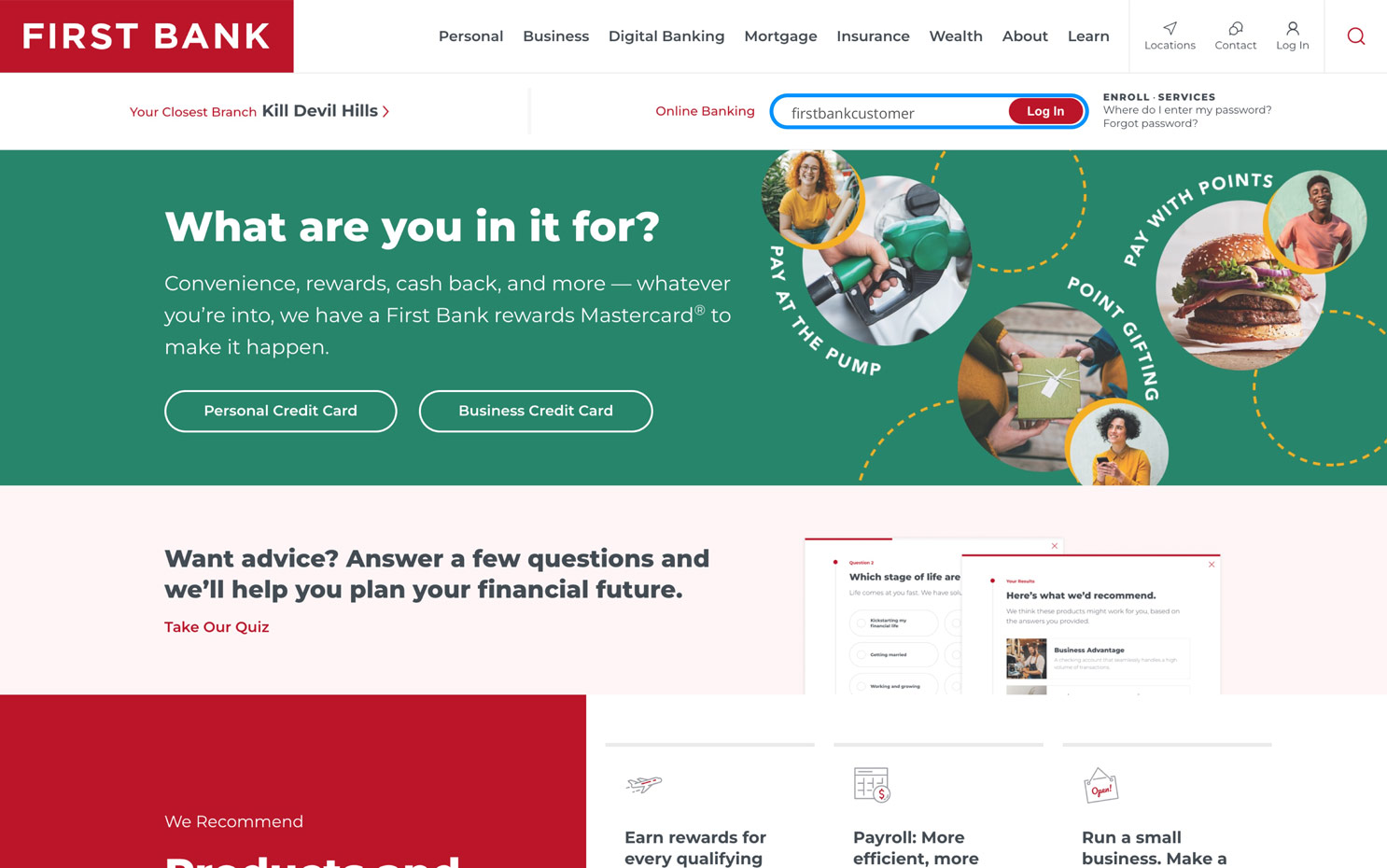
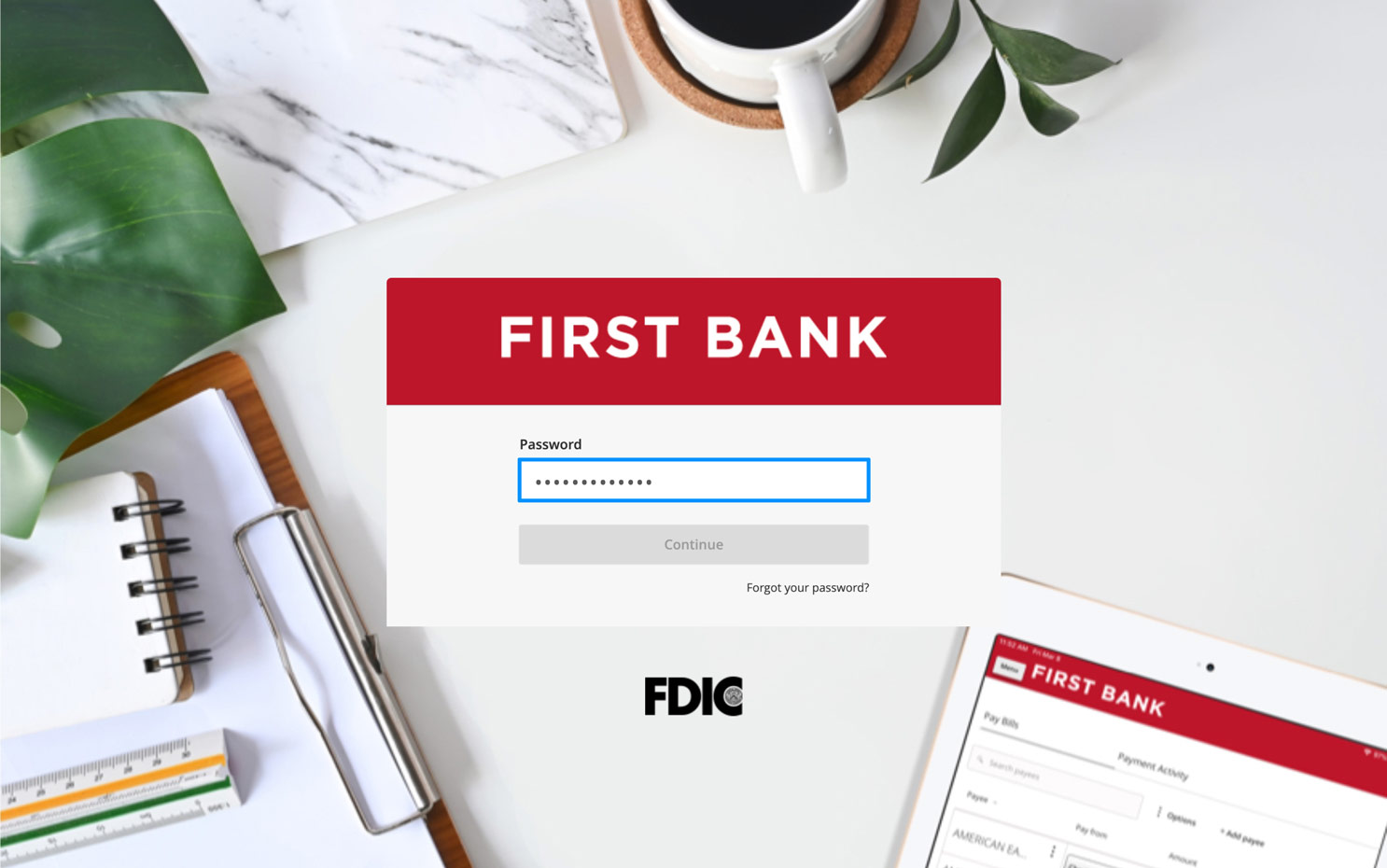
First Bank homepage with login area highlighted. First Bank Online Banking password screen.

Step 2:
Navigate to Positive Pay.

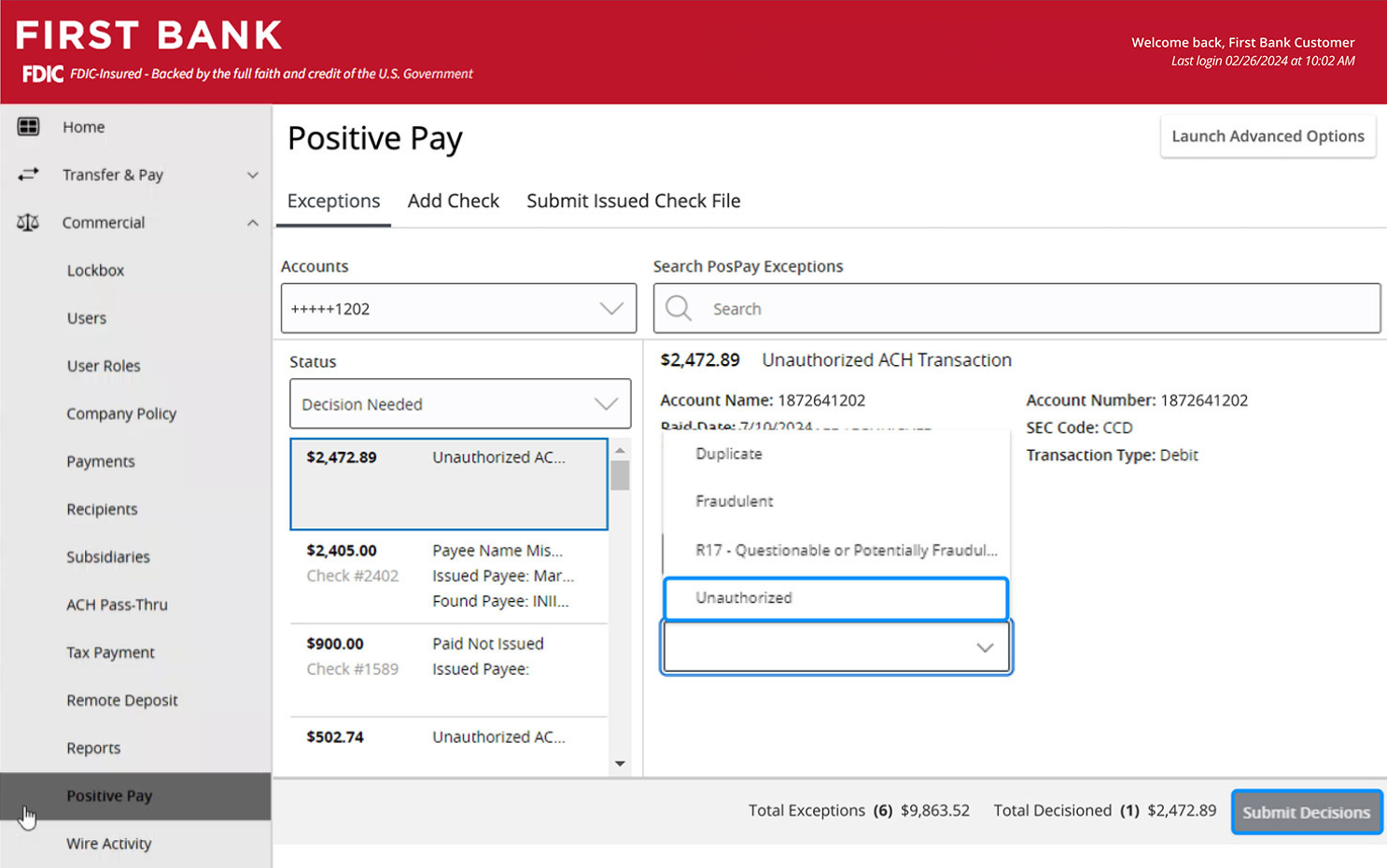
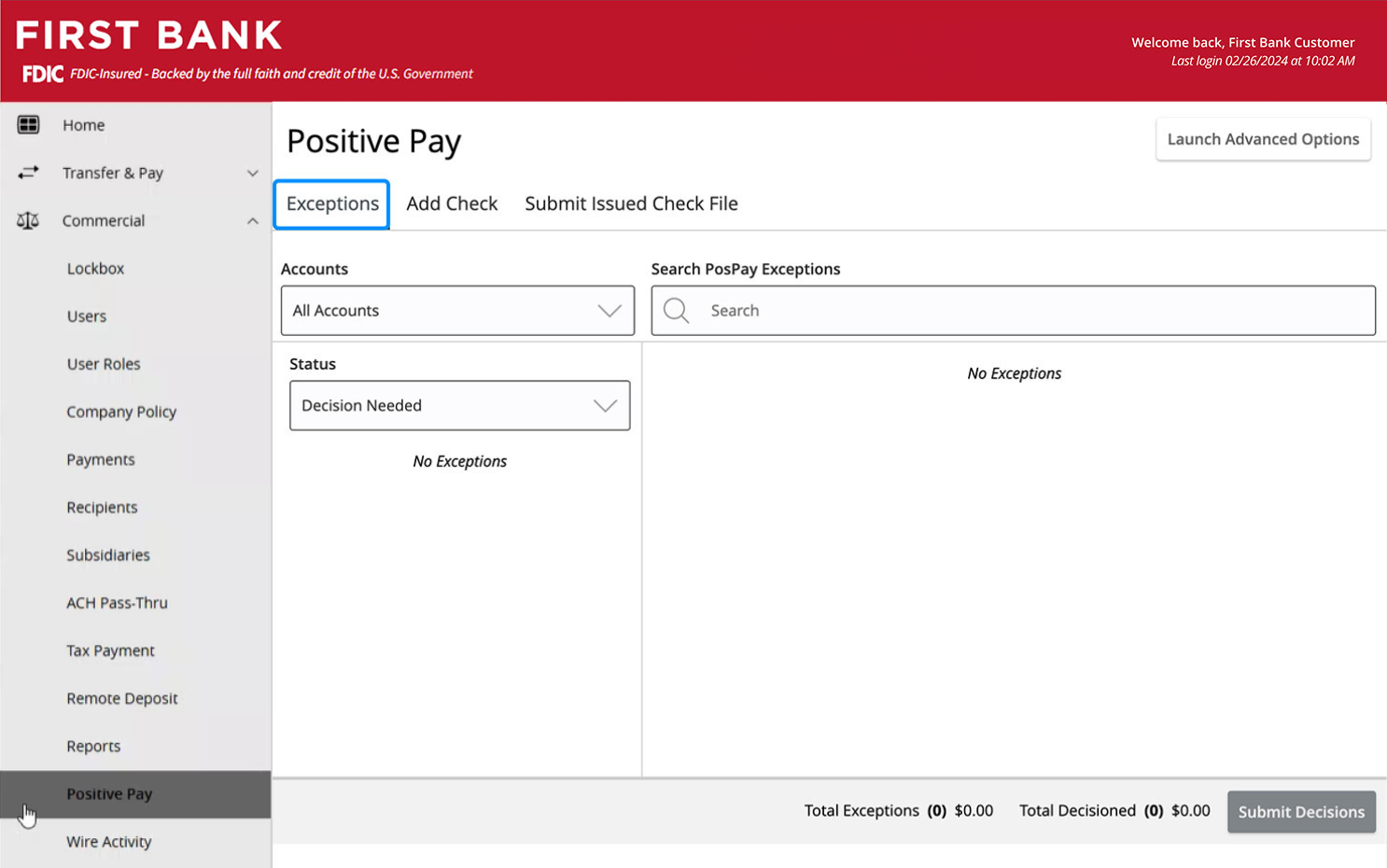
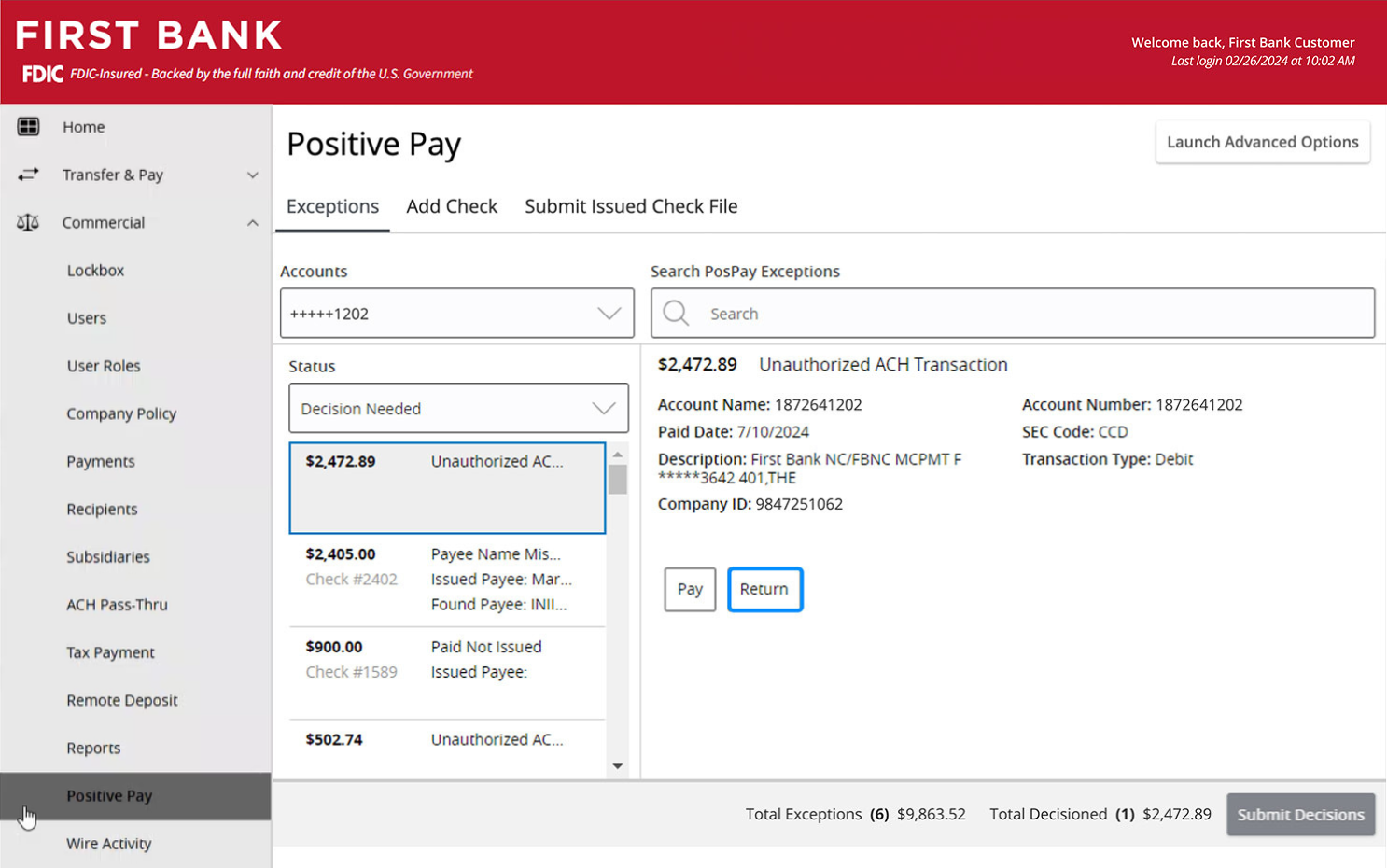
From the menu on the left, select “Commercial” and click on “Positive Pay” from the dropdown list.

Click on the “Exceptions” tab at the top.

Click into the box under Accounts and click on the account you want to decision an exception on.
Side image.

Step 3:
Make a decision.

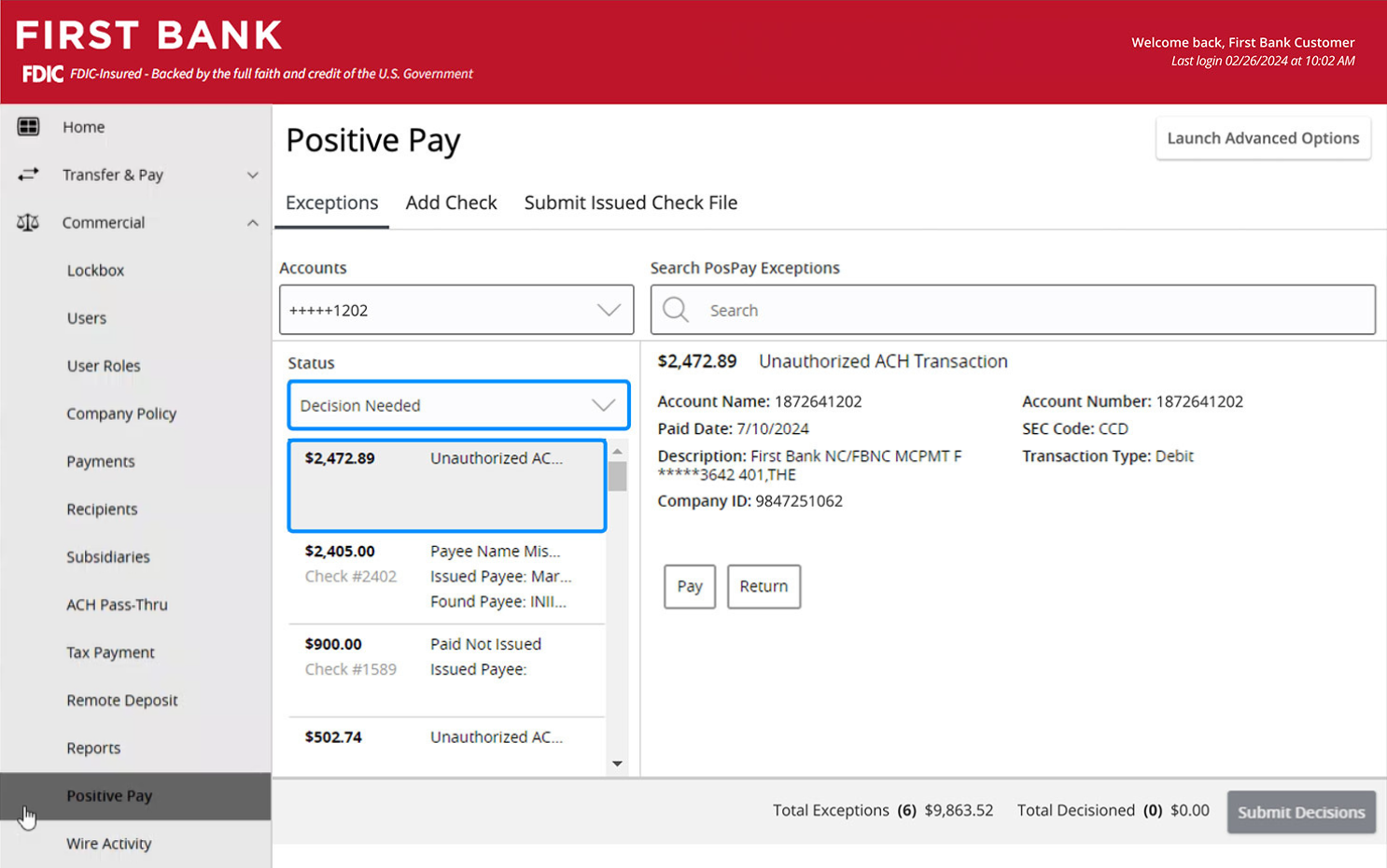
Under the Status box, select “Decision Needed” to see the transactions that need your input. Click on a specific transaction to view its details.

You must decide to either pay or return the exception.
Side image.

Step 4:
Pay an exception.

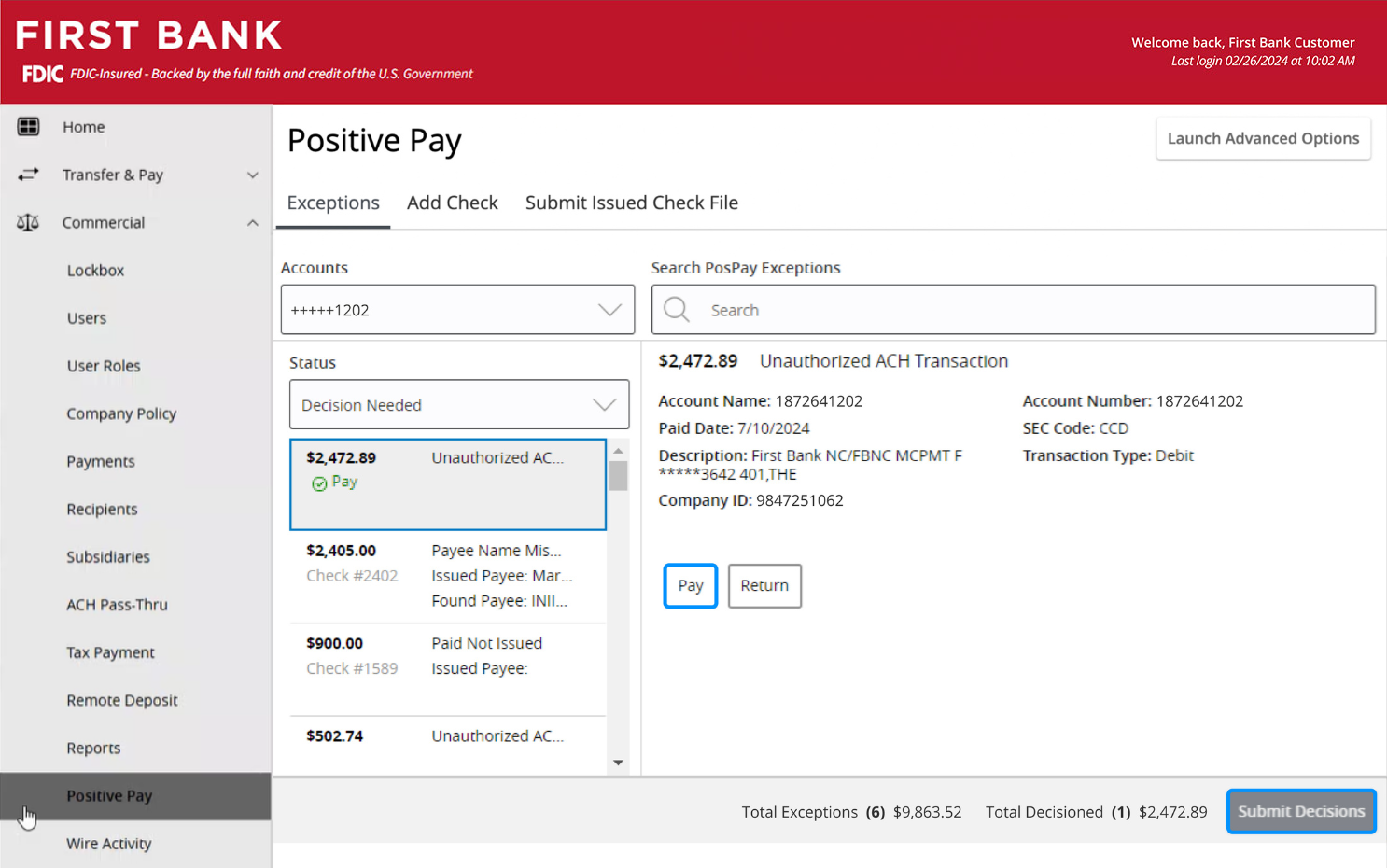
Once you’ve verified the details are correct, to proceed with the payment, click “Pay.”

Click “Submit Decisions” to finalize.
Side image.

Step 5:
Make an ACH rule.

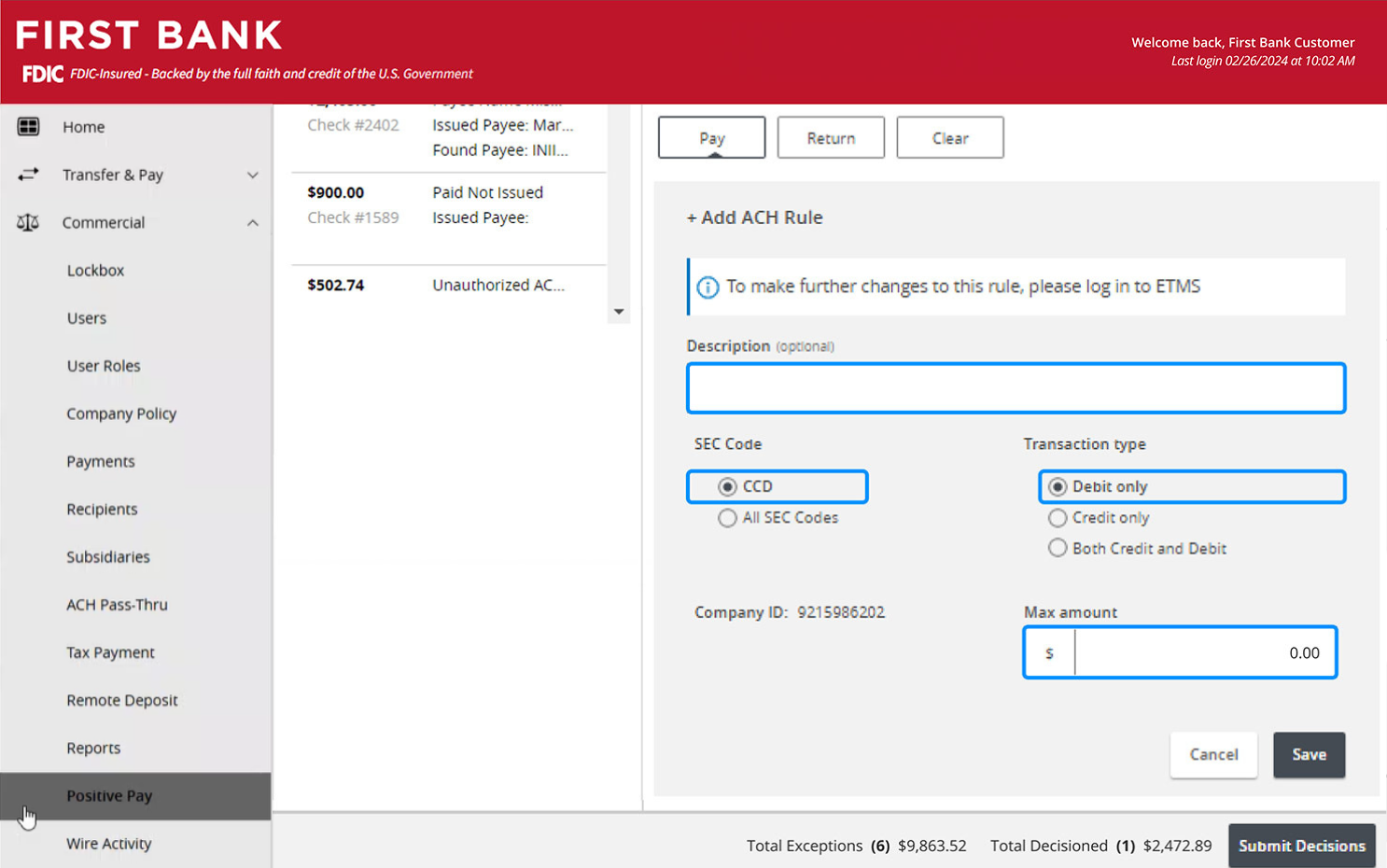
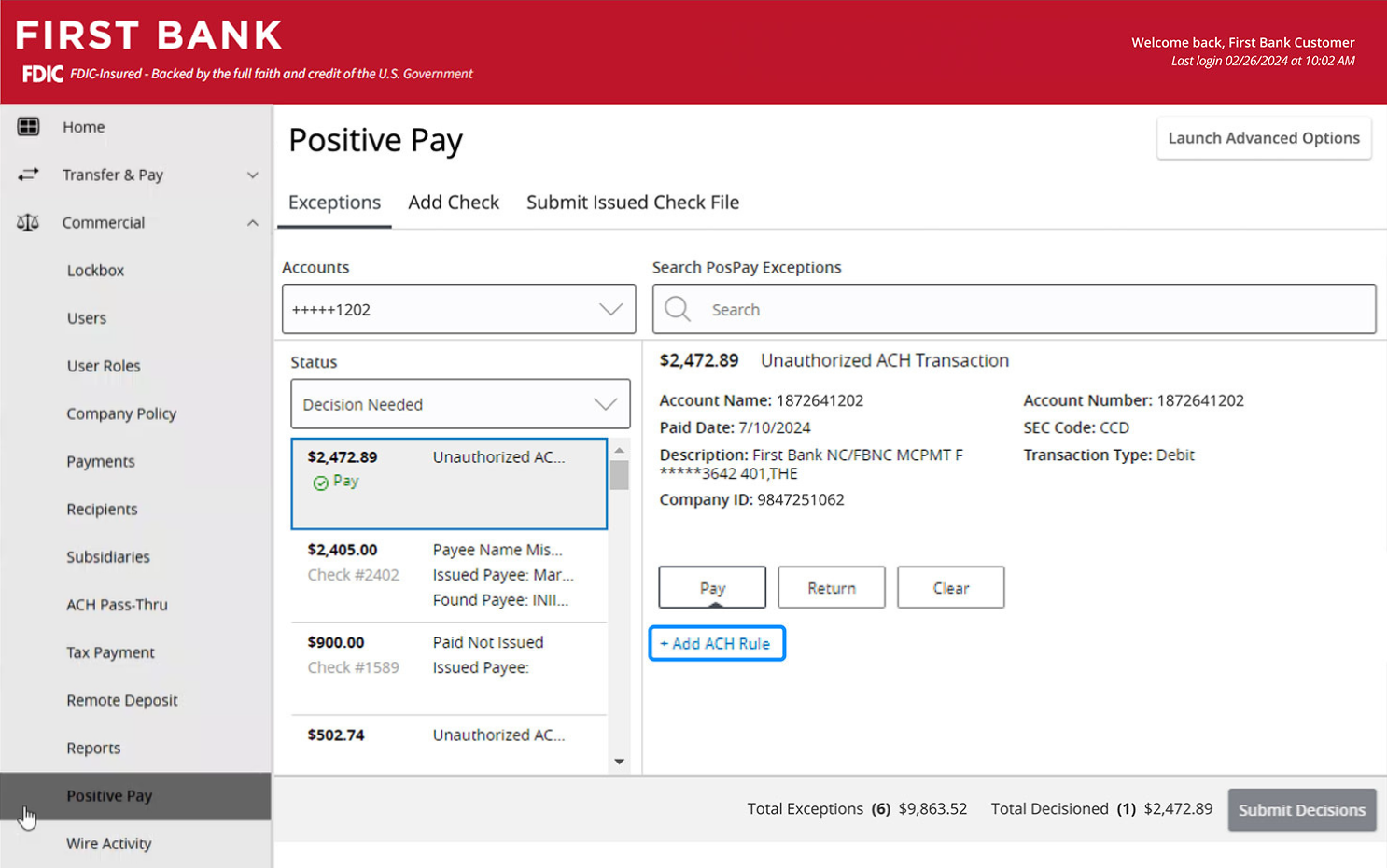
If you want to add a rule going forward, click on “Add ACH Rule.”

Enter the parameters for the new rule, including the description, SEC code, transaction type, and maximum amount.

Click “Save” and then “Submit Decisions” to finalize.
Side image. Side image.

Step 6:
Return an exception.

If the transaction details do not look correct, click “Return.”

For returned exceptions, choose a reason from the list provided.

Click “Submit Decisions” to finalize.
Side image. Side image.

Explore our guided tutorials

Using Positive Pay for Checks Protect your account from fraud with Positive Pay. Remote Deposit Capture Scanner Get tips for installing or updating your scanner. Remote Deposit Capture Make fewer trips to the bank to deposit checks. Activity Center Explore the treasury capabilities within online banking. Send International Wires Securely send money overseas. Uploading NACHA File Learn how to upload NACHA files to save time. Anytime Deposit for Android Users Learn how to make deposits from your Android device. Using Lockbox Get quick tips for navigating your Lockbox dashboard. Positive Pay Void Check Stop a check from being processed. Anytime Deposit Learn how to make deposits from anywhere. ACH Collection Request and collect funds to be transferred to your First Bank account. Adding ACH Template Learn how to create a template to send ACH payments. Adding Wire Template Learn how to create a template to send wires. Positive Pay Search Check Find checks you've issued to verify their status. Company Policy Create policies to help manage your First Bank account. Reviewing Scheduled Transactions See how to view your scheduled transactions and make changes. Accessing Reports Create, schedule, and view Lockbox reports. Assigning User Role Create new user roles and assign them to individuals. Viewing Archived Checks Look back at checks in your archive. Anytime Deposit for iOS Users Learn how to make deposits from your Apple device. Adding ACH/Wire Recipient Learn how to add recipients to receive wires from your First Bank account. ACH Payroll Process payroll from your First Bank account and learn how to add new payees. Positive Pay ACH Transaction Search Learn how to look up ACH transactions. New User Add a new user to your First Bank account. Domestic Wire Send money domestically from your First Bank account. ACH Notices & Returns Learn what to do if your item is returned. Remote Deposit Capture Make fewer trips to the bank to deposit checks. ACH Payment Learn how to make an ACH Payment from your First Bank account.

Have questions or unsure where to start?

Contact your Treasury Services rep, or one of our support teams below, for help or to schedule personalized demos.

First Bank logo
Privacy Overview

This website uses cookies so that we can provide you with the best user experience possible. Cookie information is stored in your browser and performs functions such as recognizing you when you return to our website and helping our team to understand which sections of the website are the most popular and useful.