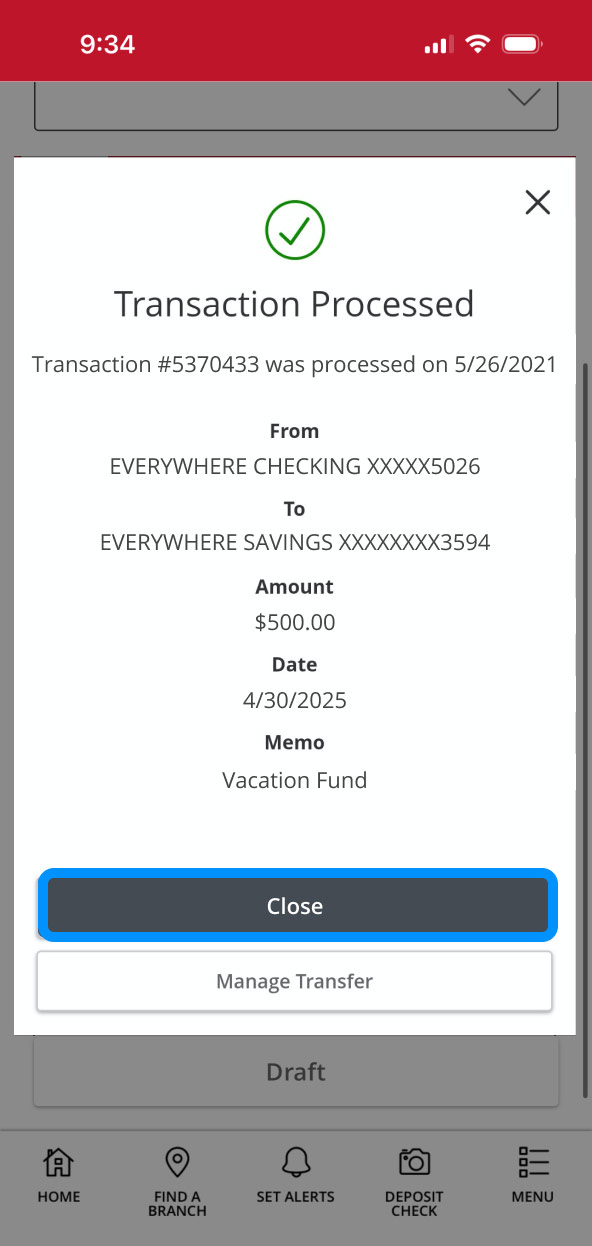
Funds Transfer Demo
Transfer money between your First Bank accounts one time or on a recurring basis.
Step 1:
Open the mobile app and log in.
When you enrolled in First Bank digital banking, you created a Username and Password. Enter that information in the corresponding boxes and then tap the “Log In” button.

Step 2:
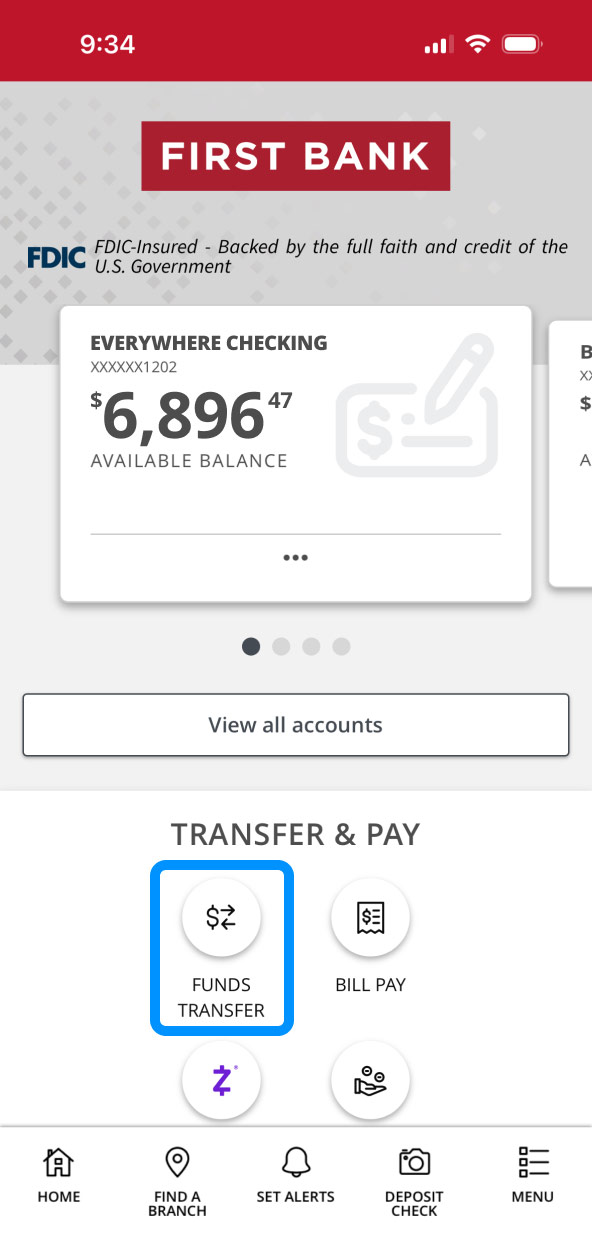
Navigate to Funds Transfer.
In the Transfer & Pay section, tap “Funds Transfer.”
Step 3:
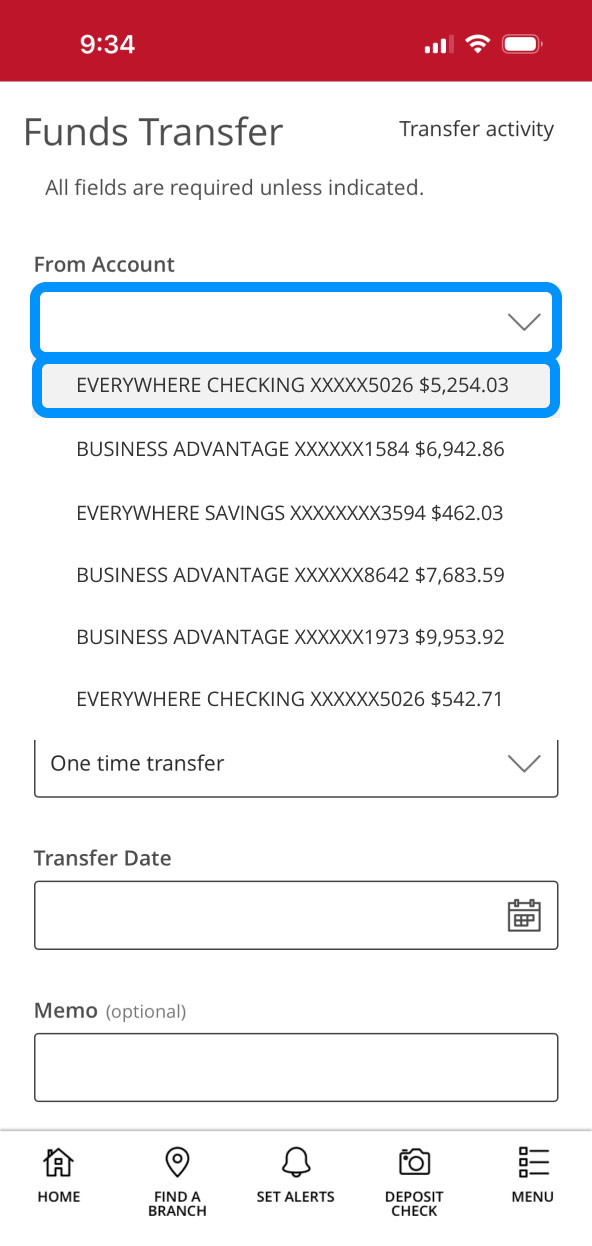
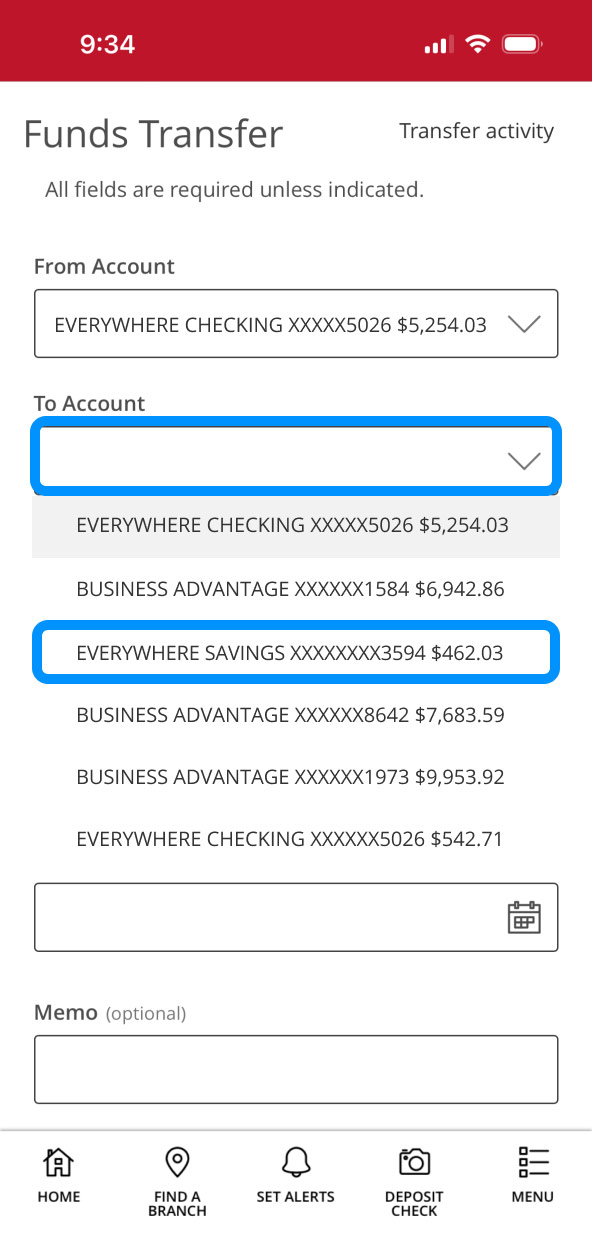
Choose accounts.
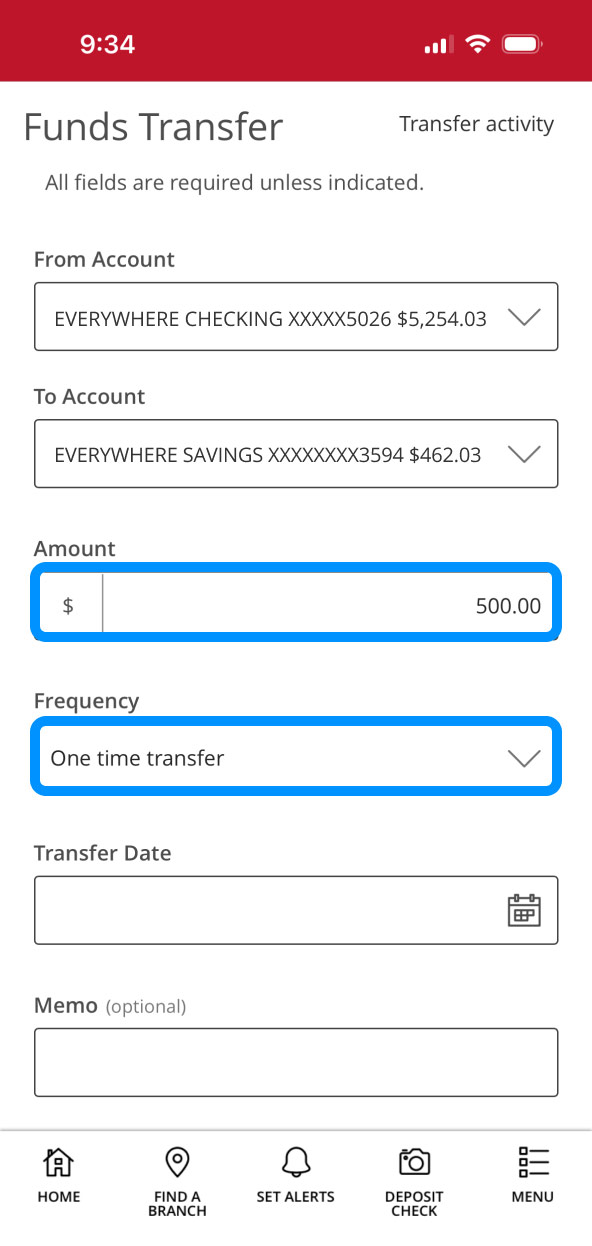
Tap into the box under “From Account” and choose from the dropdown list, then do the same for “To Account.”
Step 4:
Enter details.
Tap the Amount box and enter the amount of the transfer.
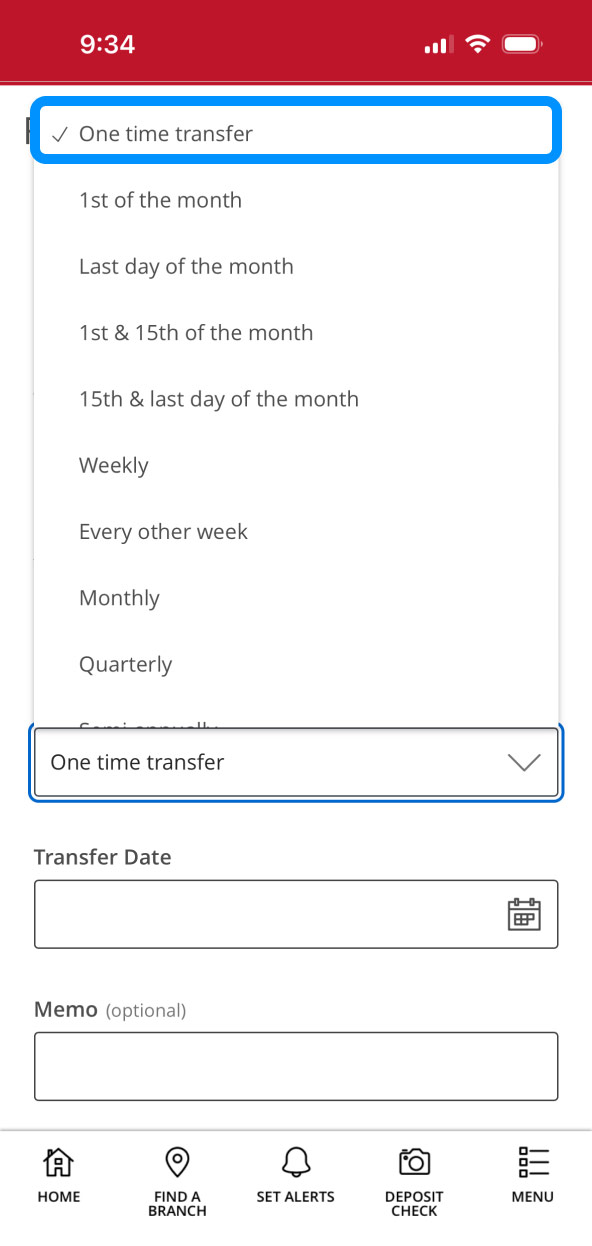
Tap the Frequency box and select the cadence for the transfer.
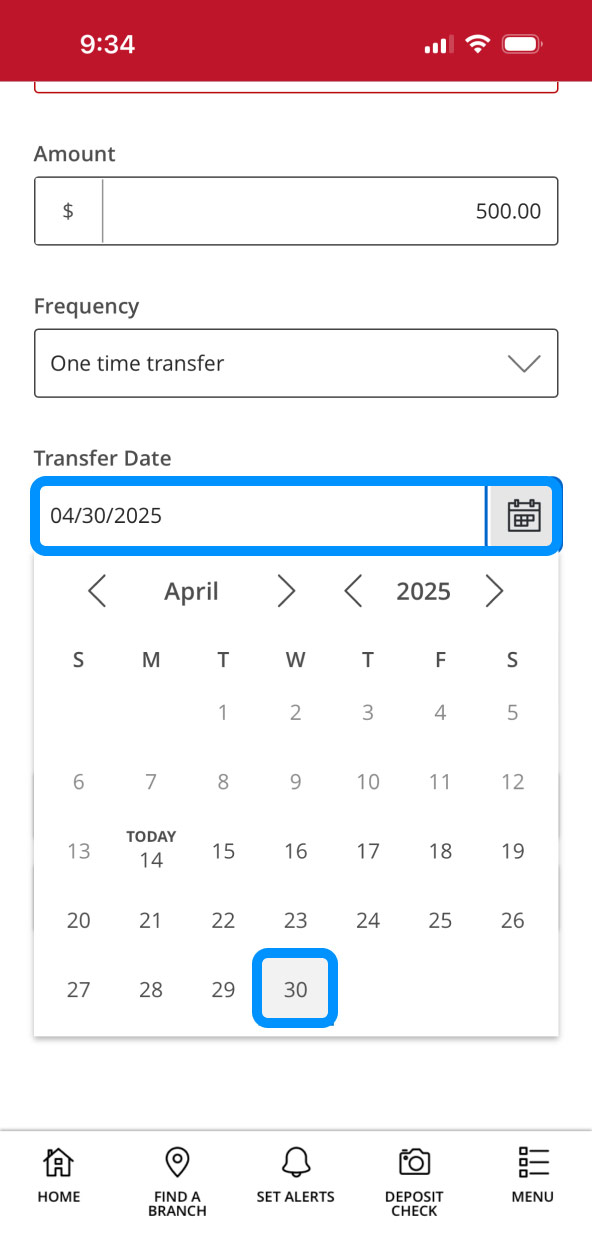
Tap the calendar icon and select the date for the transfer to occur.
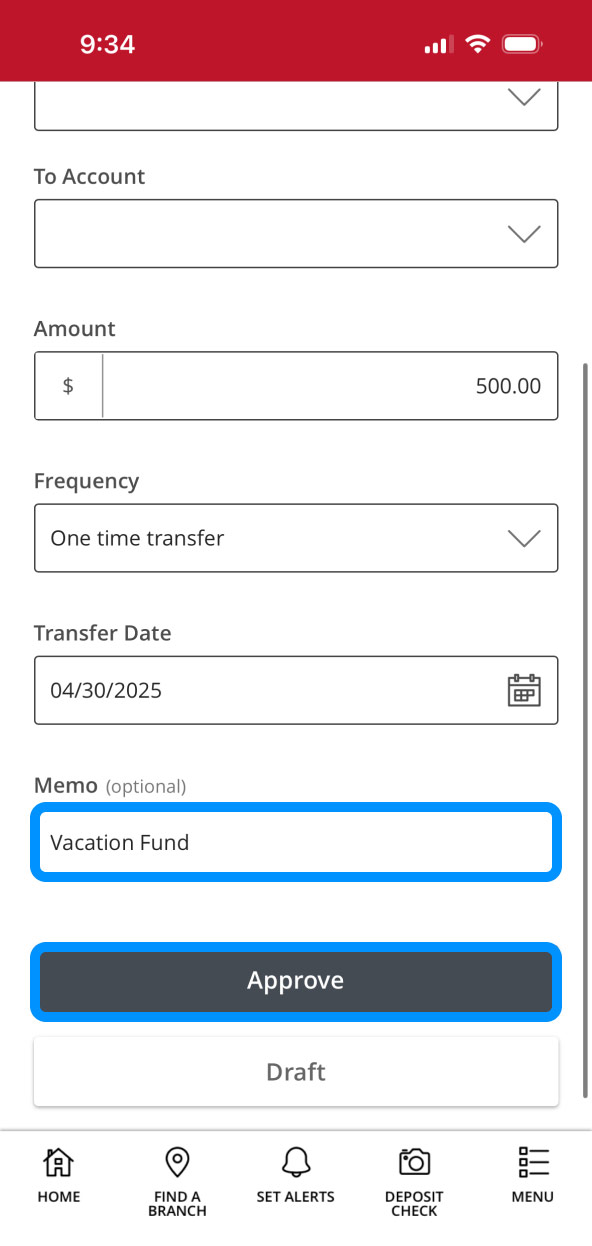
If you want to include a note, enter it in the “Memo” box.
Tap “Approve” to complete the transfer.
Step 5:
Review summary.
A summary of your funds transfer will be provided. Tap “Close” to return to the dashboard.