Back
Scroll to top

Zelle® Send Demo

Digitally send money to friends, family and others you trust.

Step 1:
Open the mobile app and log in.

When you enrolled in First Bank digital banking, you created a Username and Password. Enter that information in the corresponding boxes and then tap the “Log In” button.

First Bank online banking screen showing the initial login screen.

Step 2:
Navigate to Zelle®.

Scroll to the “Transfer & Pay” section, then tap the button with the Zelle® logo.
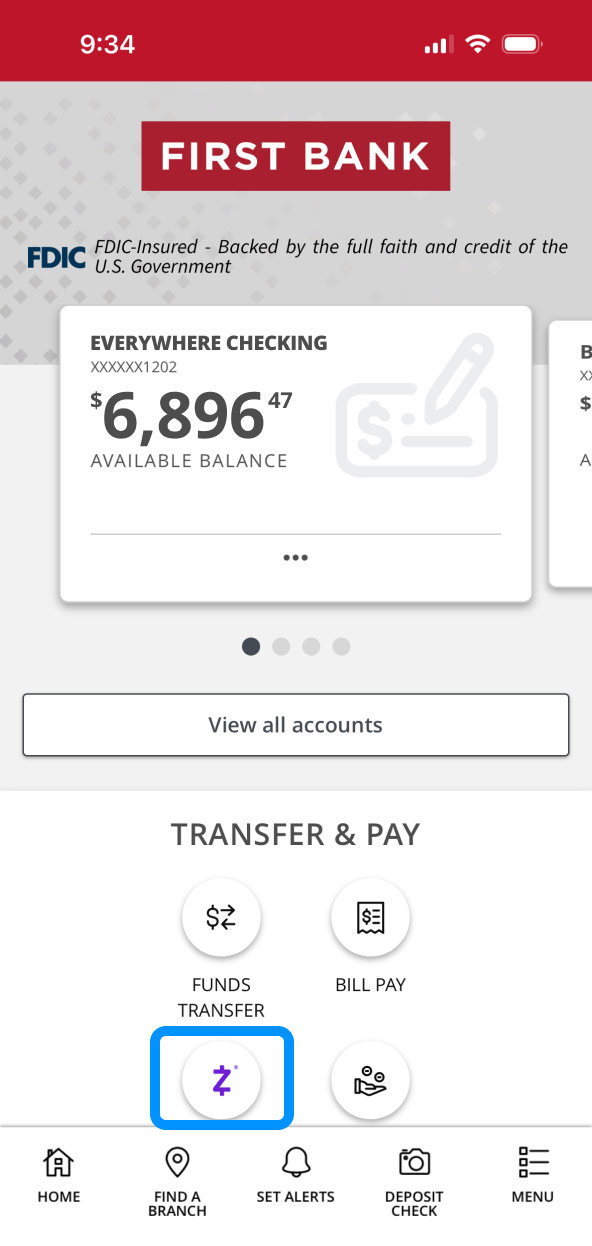
First Bank online banking screen highlighting the Zelle button.

Step 3:
Send funds.

Tap “Send” and a list of your suggested contacts will appear. Select a contact, or if the person you want to send money to isn’t listed, tap the person icon in the top right corner to add someone.

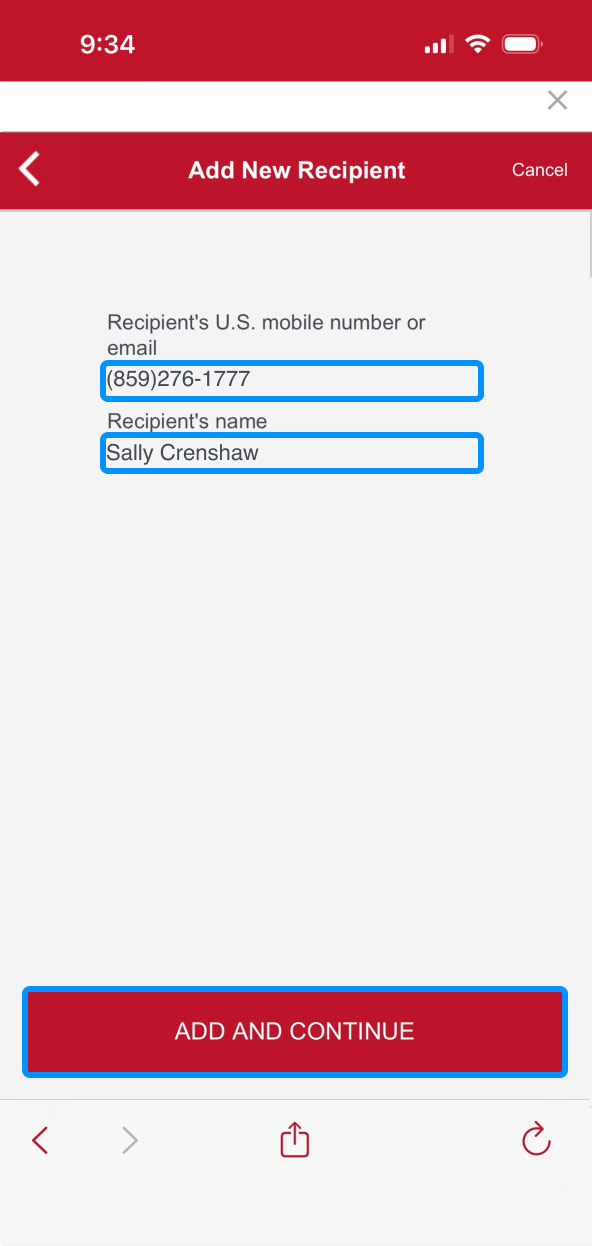
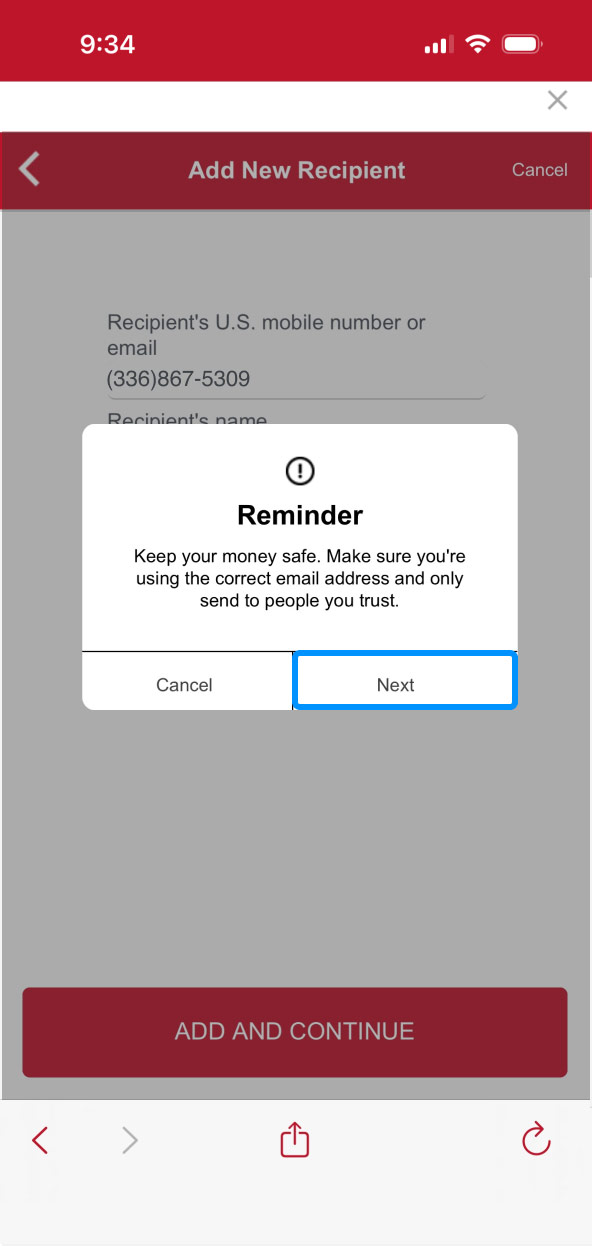
Enter the recipient’s mobile number or email address and name. Tap “Add and Continue.” Read the Reminder statement and tap “Next.”
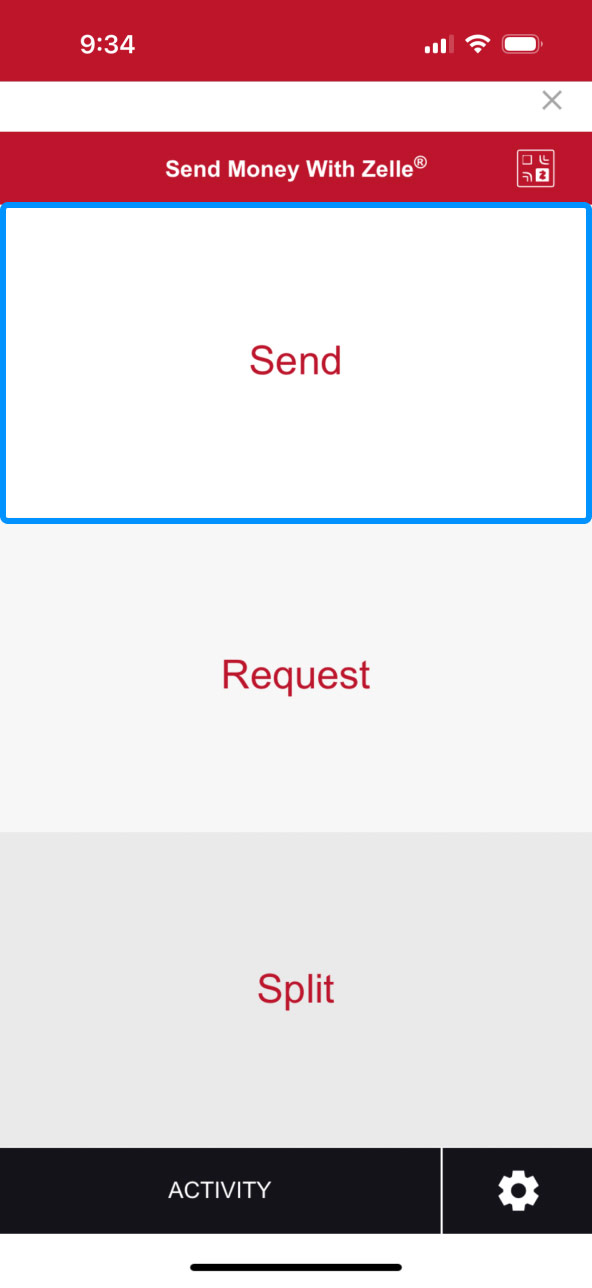
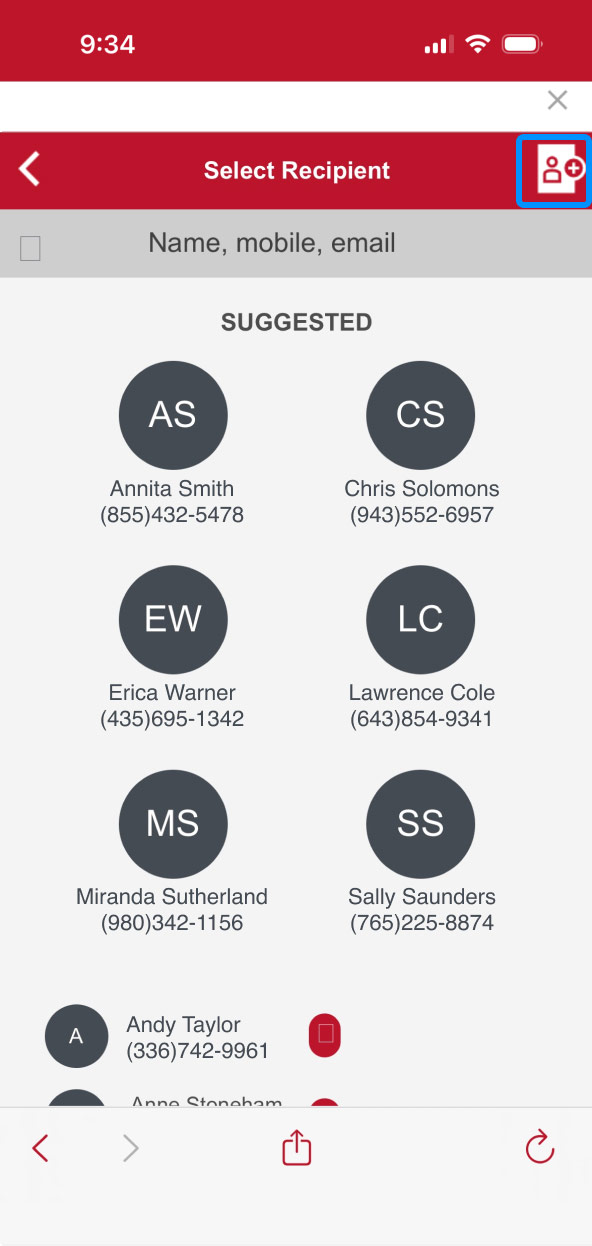
First Bank online banking screen highlighting the Send button inside Zelle. First Bank online banking screen showing the list of Zelle contacts and highlighting the add new recipient icon. First Bank online banking screen showing adding new contacts in the Zelle interface. First Bank online banking screen showing the Zelle notice for adding new recipients and highlighting the Next button.

Step 4:
Enter amount.

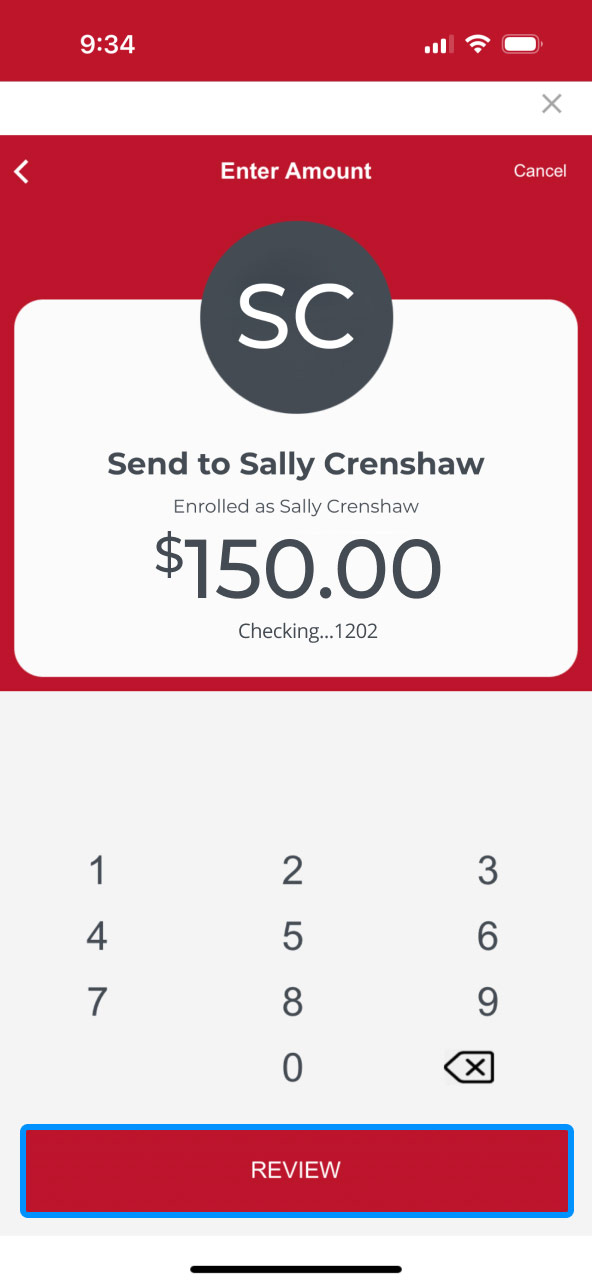
Enter the dollar amount you wish to send, then select the account you’d like the money withdrawn from.

Tap “Review” to confirm your request is accurate.
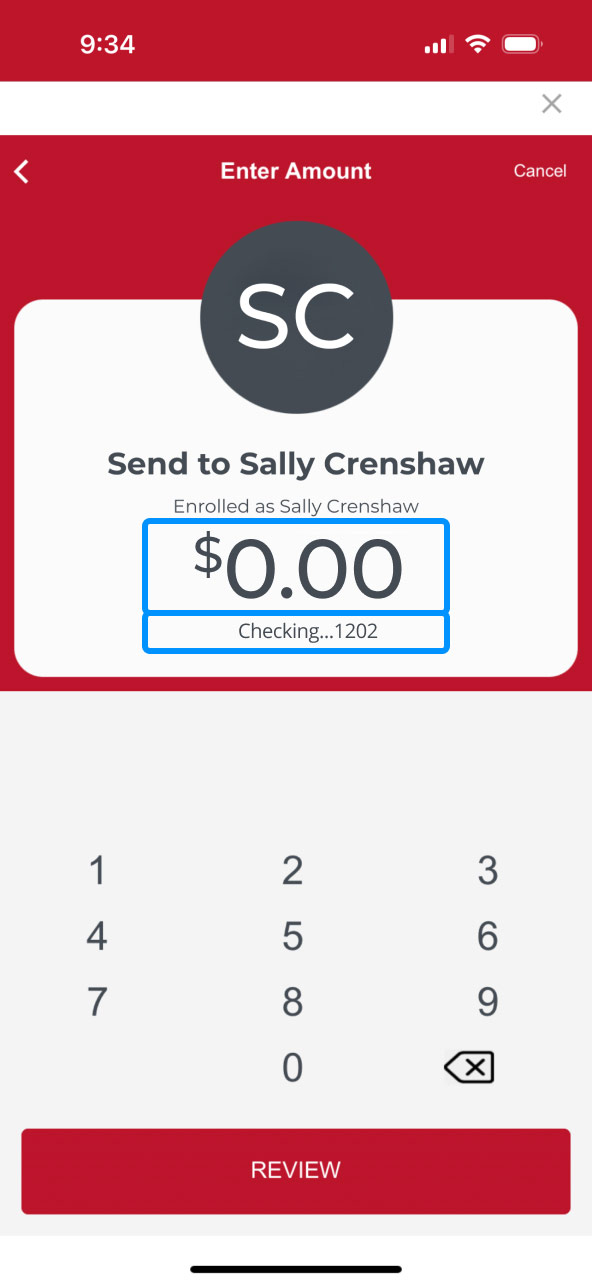
First Bank online banking screen highlighting where to enter the money amount to be send and the account to be withdrawn from. First Bank online banking screen highlighting the Review button.

Step 5:
Finalize payment.

Review the amount and person you are sending money to are correct, then tap “Send.”

A confirmation screen will show your payment was sent to your contact. Tap “All Done” to go back to online banking.
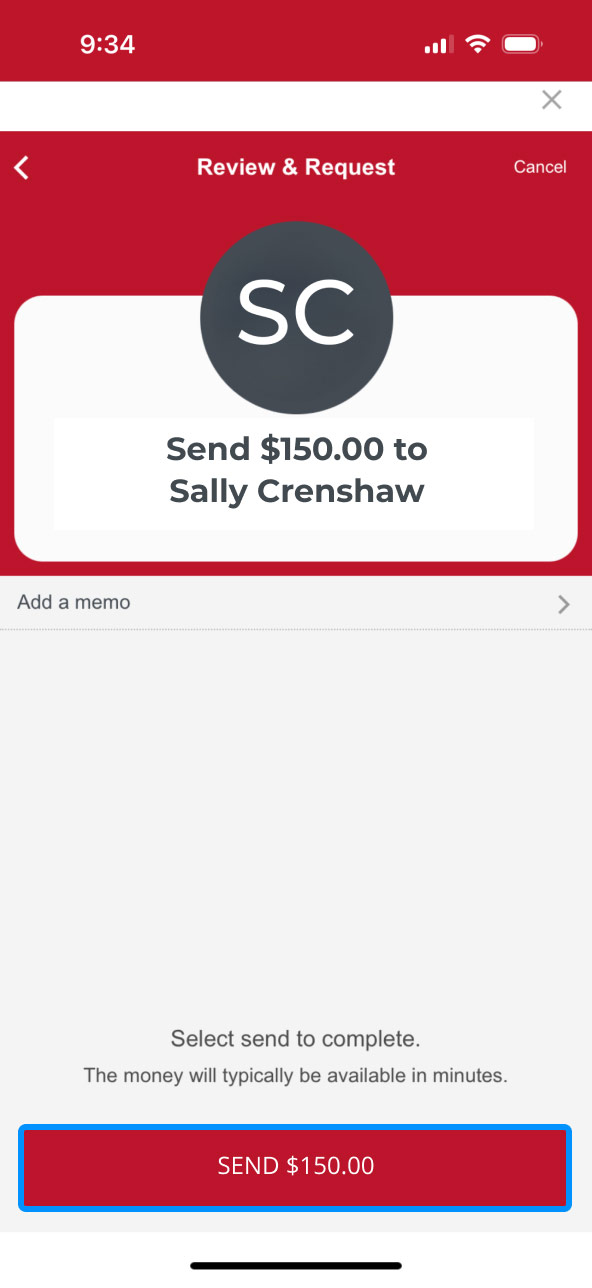
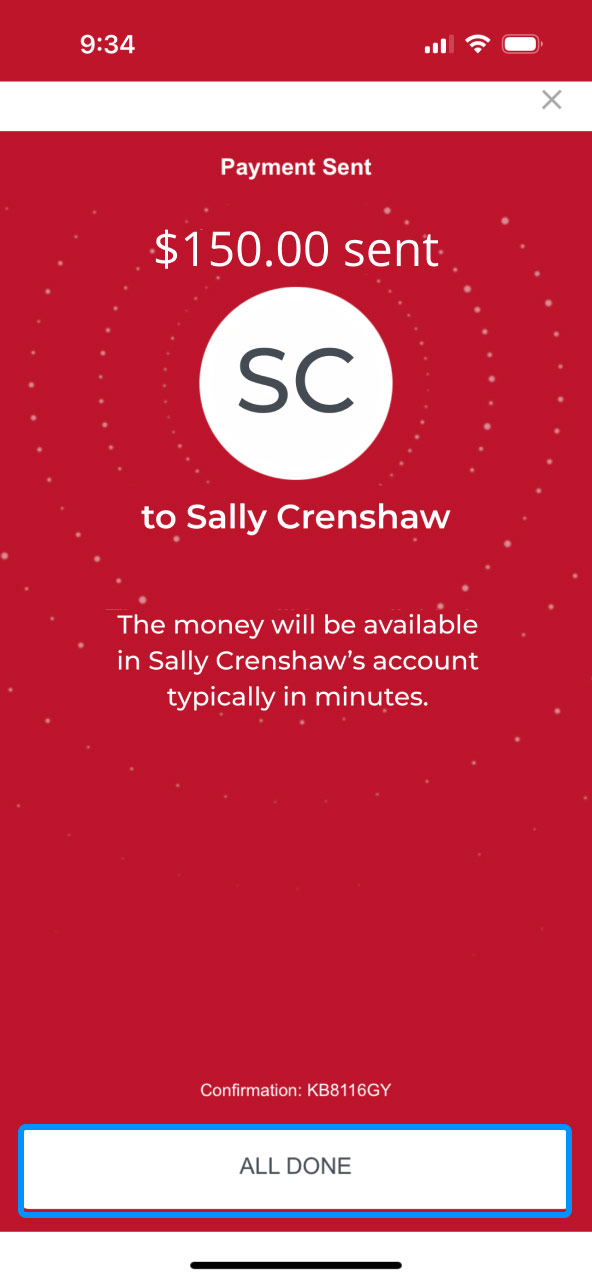
First Bank online banking screen showing the final Zelle send button with the dollar amount. First Bank online banking screen showing the final Zelle screen indicating that funds have been sent to a contact.

First Bank logo
Privacy Overview

This website uses cookies so that we can provide you with the best user experience possible. Cookie information is stored in your browser and performs functions such as recognizing you when you return to our website and helping our team to understand which sections of the website are the most popular and useful.