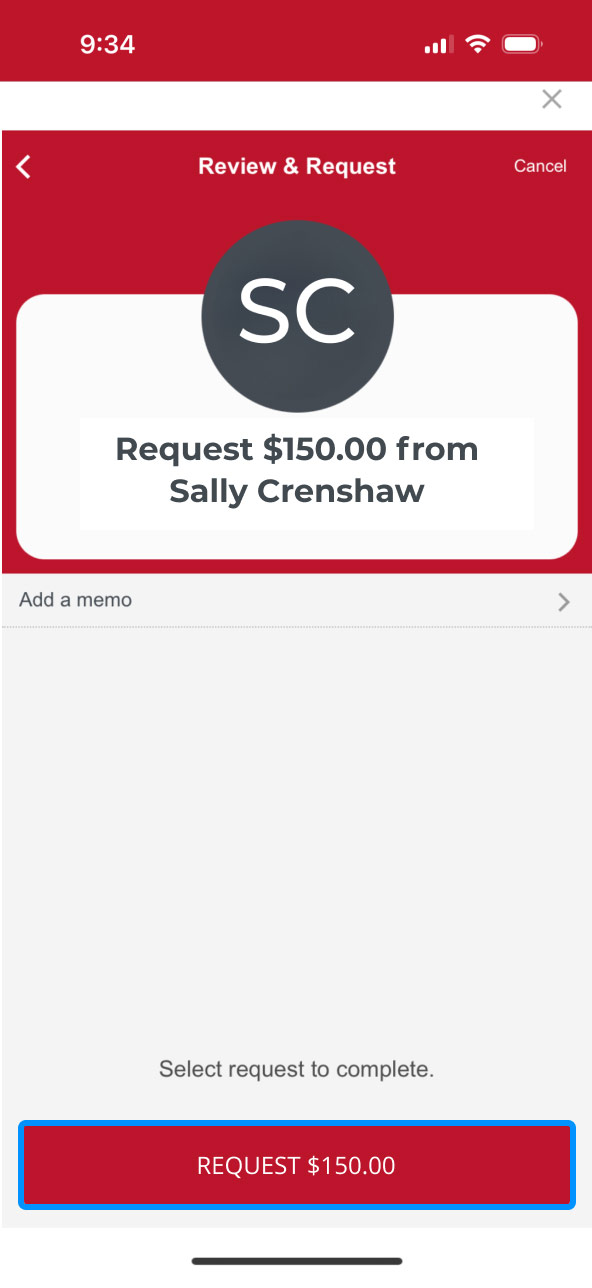
Zelle® Request Demo
Digitally request money from friends, family and others you trust.
Step 1:
Open the mobile app and log in.
When you enrolled in First Bank digital banking, you created a Username and Password. Enter that information in the corresponding boxes and then tap the “Log In” button.

Step 2:
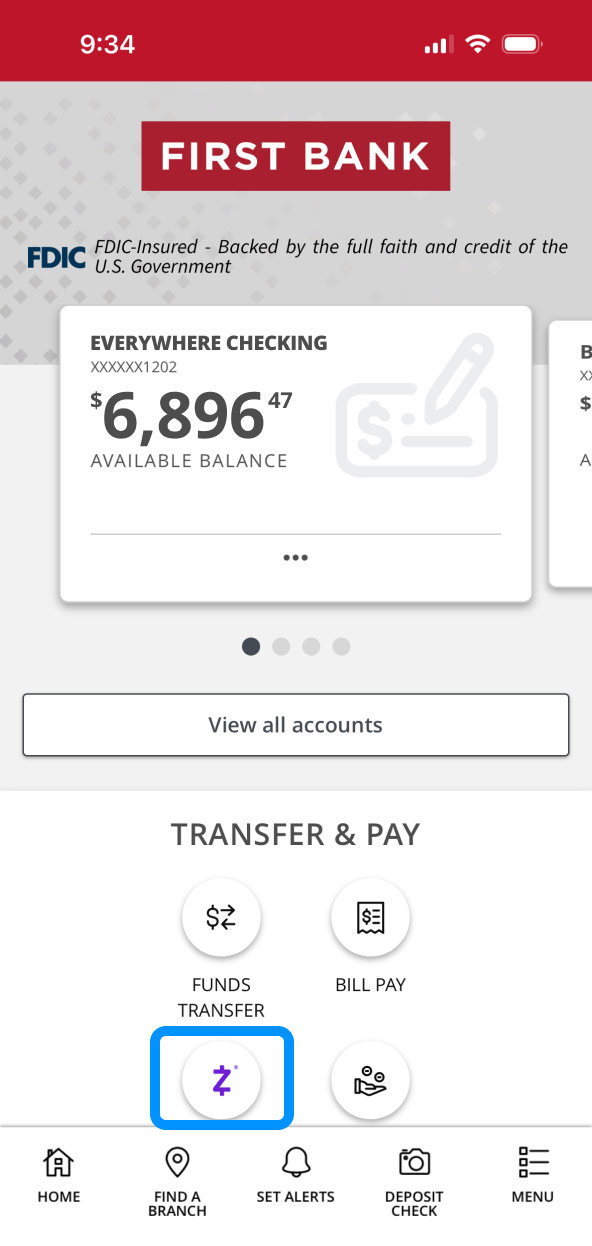
Navigate to Zelle®.
Scroll to the “Transfer & Pay” section, then tap the button with the Zelle® logo.
Step 3:
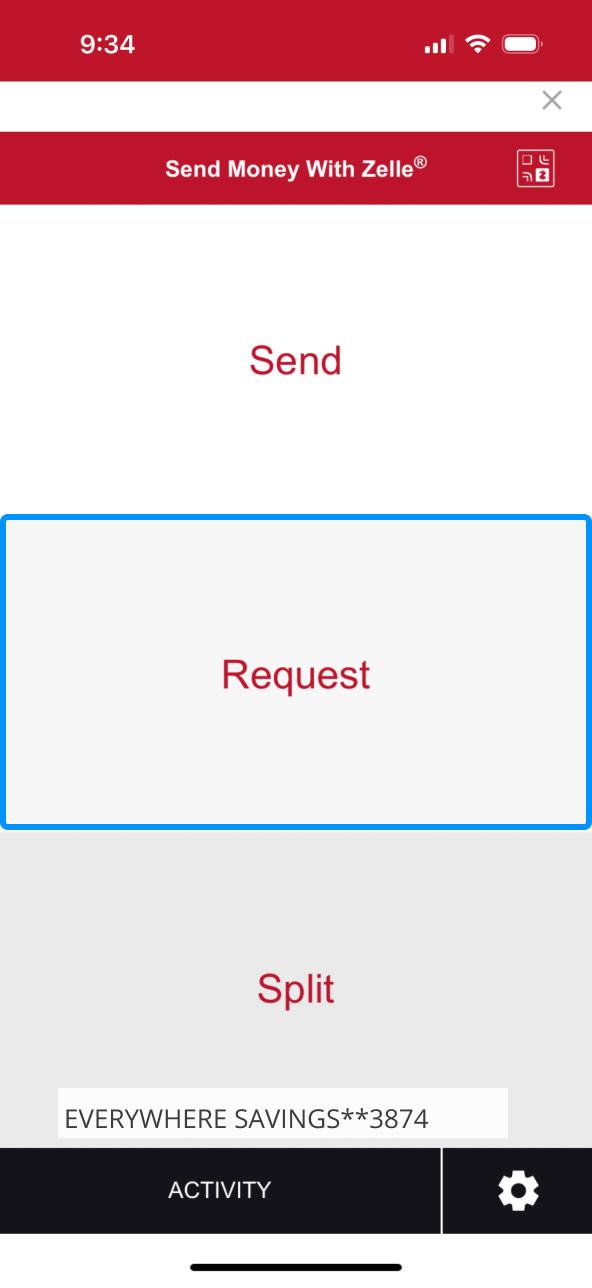
Choose Request.
Select “Request” to request money from friends, family and people you trust.
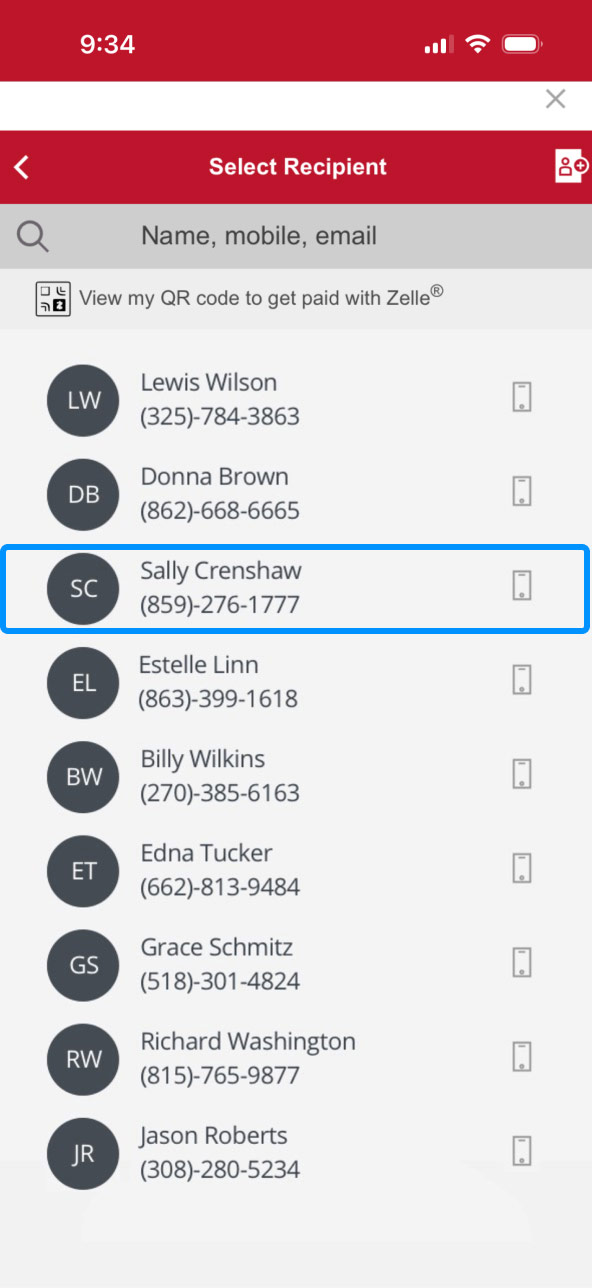
Tap on the name of the person you want to request funds from.
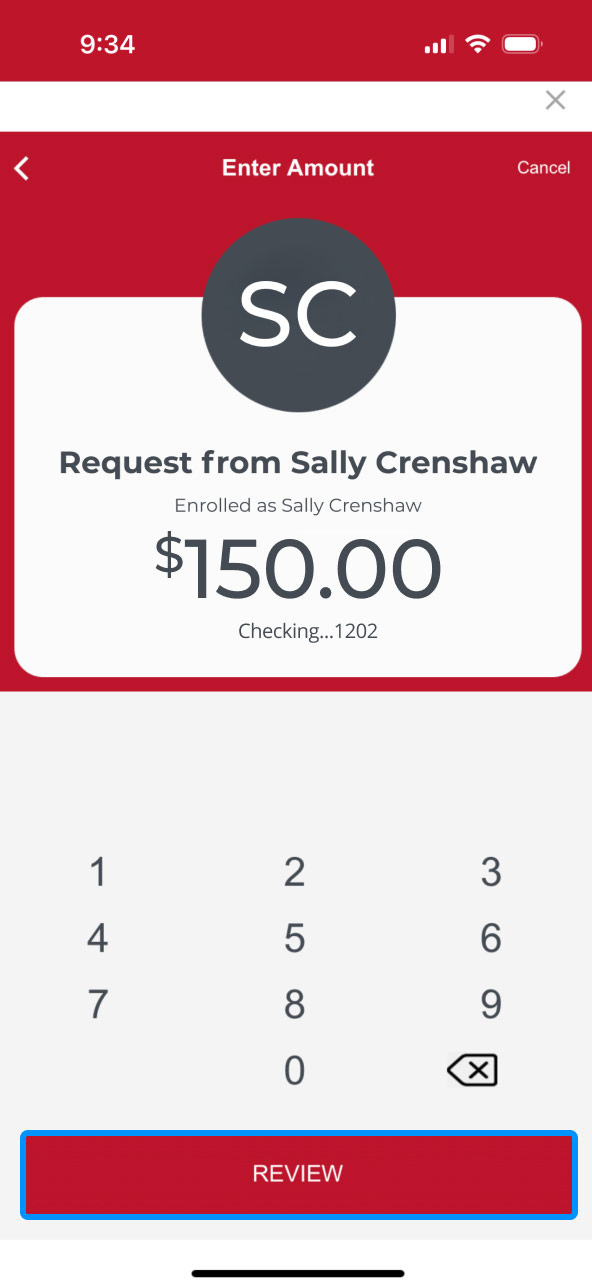
Step 4:
Request funds.
Enter the dollar amount your wish to request, then select the account you’d like the money deposited into.
Tap “Review” to confirm your request is accurate.

Step 5:
Finalize request.
Once your request looks right, tap the button at the bottom that says “Request” with the amount your entered.
Your request will be sent to your contact. Tap “ALL DONE” to close out of Zelle®.