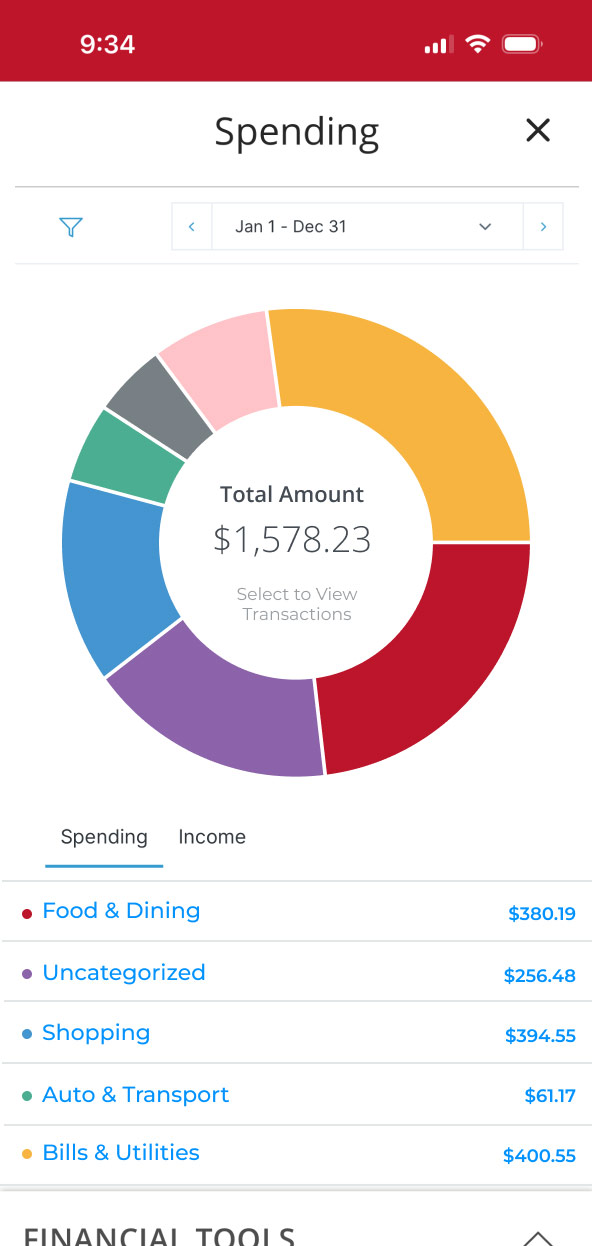
MyMoney Spending Demo
Quickly get an overview of what you spend your money on, organized by categories.
Step 1:
Open the mobile app and log in.
When you enrolled in First Bank digital banking, you created a Username and Password. Enter that information in the corresponding boxes and then tap the “Log In” button.

Step 2:
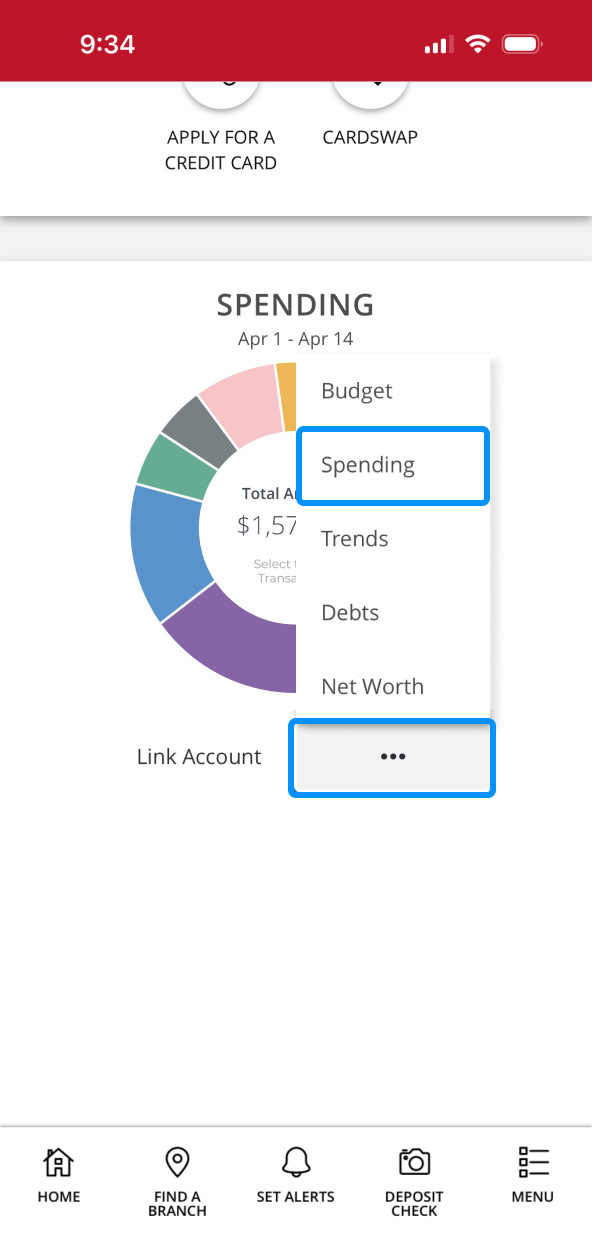
Navigate to Spending.
Scroll down to the Spending section, tap on the three dots, then tap “Spending.”

Step 3:
View Spending.
To see how you’re spending your money, tap on the categories for an easy-to-use overview of your personal spending habits.
You can use the default MyMoney categories or customize your own for expenses like dining out, gas, groceries, and more, to keep things organized in a way that works for you. These categories will help you track your spending as well as your progress on your budget each month.